Most hotels above the budget tier already have an Apple TV in the room. It's used for AirPlay, the streaming-services menu, and the property's loop video. Sleep Sine slots into that hardware as a thoughtful, low-friction nightly amenity — one most properties don't think to offer because the right app didn't exist on tvOS.
Why this works
Three things make Sleep Sine a natural hospitality fit:
- The hardware is already there. No new device, no integration, no IT call. Install the app on the Apple TV the same way you'd install any tvOS app — once per room, take an afternoon, done.
- Guests don't sleep well in unfamiliar rooms. New HVAC patterns, traffic sounds at unfamiliar pitches, hallway voices. Ambient masking sound is the single highest-leverage intervention for transient-guest sleep. Earplugs are awkward; the property providing the sound is more thoughtful and less weird.
- It's a touch, not a feature. A bedside card with a QR for the property's signature scene is the kind of small editorial gesture that gets noticed in reviews — design-conscious, calm, on-brand. Like the in-room reading lamp or the local-honey jar at breakfast: a small thing done with care.
Property archetypes — what to feature
The right scene matches the room's character. A few examples:
Iceland inn / Northern Lights territory
Feature Aurora Night. The scene reads as a calm aurora arc over a quiet evergreen horizon — exactly what guests came hoping to see in the sky. For guests who caught the lights, it's a complement to the experience; for the ones who came on a cloudy week, it's the only aurora they'll get to see. A bedside card with the Aurora preset is honest, beautiful, and emotionally resonant in a way generic "sleep sounds" wouldn't be.
Mountain cabin / lodge
Feature Fireplace. Pair with the in-room wood stove (or the gas log that turns off automatically at 11 p.m.) — Sleep Sine takes over visually + audibly when the actual fire dies down. The Wood Stove preset (high crackle, low room glow) is the closest to "real fire embers fading down" and reads correctly on a dim screen.
Beach / coastal property
Feature Ocean Night. The Moonlit Tide preset (gentle swells, prominent moon glow, low chop) is dim enough to sleep with on, and the surf bed is naturalistic — no canned beach-vacation cliché. Particularly strong for rooms that face the water but where guests close the blackout curtains.
Urban hotel / city center
Feature Thunderstorm. Specifically the Tropical Storm preset (heavy rain density, warmer palette, no lightning). The continuous rain bed masks the city noise (sirens, garbage trucks, room-service rolling past, neighboring guests) far better than any structural sound treatment can. Honest, useful, and the property gets to lean into "we know city sleep is hard and we did something about it."
Wellness retreat / spa
Feature Deep Space. The Pink Noise Bed preset is the closest your room will ever come to actual spa-grade sound design — narrow-band pink noise with minimal visual. The room reads as a meditation environment without any "wellness app" aesthetic.
Family resort / kids' rooms
Two-scene strategy. Kids' rooms get Thunderstorm Classic Storm (rain-on-tin-roof masking that overlaps the parents' room next door); parents' rooms get whatever fits the property. Both rooms get bedside cards. The most-stressed guest you'll have is the parent of an overtired toddler at 9 p.m. in a thin-walled hotel.
How to set it up (the actual workflow)
- Install Sleep Sine on the room's Apple TV. From the tvOS App Store, search "Sleep Sine," install. Free download includes the Thunderstorm scene; a single one-time unlock opens all six scenes on that Apple ID forever. (Family Sharing: if the property uses one Apple ID per Apple TV, you pay the unlock once per TV. If the property uses one Apple ID across all TVs via Family Sharing, you pay the unlock once total.)
- Tune the scene. Open the scene you've picked for the property. Adjust each slider to fit the room — particle density, volume, color warmth, screen brightness. Spend 5–10 minutes; the defaults are good but per-room tuning makes a noticeable difference. (A room with thin curtains needs lower brightness; a room above a busy street needs higher rain density.)
- Save it as a preset. Save the tuned scene with a memorable name — e.g., "Aurora Suite," "Room 12 Rain," "Library Fireplace." Sleep Sine generates a 12-character "sine" code for the configuration. Write that code down or screenshot it.
- Decide on the bedside card format. Two options: (a) use the QR code from the existing curated gallery at sleepsine.com/scenes/[scene] — quickest, fewer code presets to manage, the codes are already published; or (b) generate a custom card for your property's specific tuned sine — more bespoke, more upfront work. Most properties start with (a) and move to (b) for signature suites.
- Print + place bedside. Business-card-sized works well, on the nightstand under a small acrylic stand or as a bookmark in the room's welcome packet. The card needs: the scene name, the 12-character code in a readable monospace font, a QR code, one sentence of instruction, your property's wordmark or none at all. We'd recommend keeping branding light — the card should read as a calm in-room amenity, not advertising.
- Brief the front-desk team. One sentence in the room-introduction script: "There's a bedtime ambient soundscape we've curated for this room — the card on the nightstand has the details." That's enough; guests who care will explore, guests who don't will ignore it.
What the bedside card should say
Less is more. A useful card has six elements:
- Scene name in plain English (e.g., "Aurora Night")
- The 12-character sine code in monospace (e.g.,
1J29QM-ZC9A03) - QR code (we generate these for every preset at sleepsine.com/scenes/; right-click any preset's QR to save the PNG)
- One sentence of instruction: "Scan the code, or open Sleep Sine on the TV and tap 'Load Sine'."
- Optional: the property name, in small type
- Optional: a line of editorial copy explaining the scene choice — e.g., "Aurora Night, in case the sky was overcast." This is the moment the card stops being functional and becomes thoughtful.
What NOT to put: long instructions, multiple QR codes (visual clutter), the property's full marketing copy, anything that resembles an advertisement. The card is read by a guest already in bed.
Print-ready example layout
A minimal bedside card for a curated Aurora Night preset, formatted for printing on a 3.5" × 2" business card:
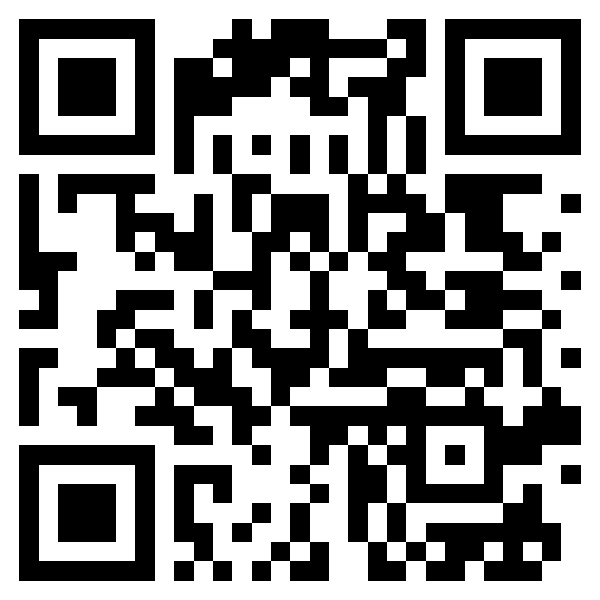
The QR encodes https://sleepsine.com/s/1J29QMZC9A03. Universal Links route the URL straight to the Sleep Sine app if the guest has it installed; otherwise it loads the share page in Safari, which surfaces the Smart App Banner for installation. Either way, the guest gets the scene — on their phone or on the TV.
Why Sleep Sine specifically for hospitality
- One-time purchase per property. No per-room subscription, no per-night licensing, no recurring vendor invoice. You pay the consumer App Store unlock once (per Apple ID, with Family Sharing covering multiple TVs on the same account).
- No guest accounts, no personal data. The app collects only anonymous, opt-out usage and crash diagnostics (no ads, no advertising ID, no cross-app tracking), which staff can switch off per device in About & Privacy. Aligns with a premium-hospitality privacy posture.
- tvOS-native. Most "sleep apps" don't have proper Apple TV apps — they're iPhone apps with maybe an AirPlay path. Sleep Sine is built for tvOS as a first-class target: full-screen visuals, Siri Remote control, persistent display through the night without idle-timer issues. See our Apple TV sleep display guide for the power, OLED burn-in, and idle-timer details.
- Per-room signature scenes. Each room can have its own preset. A small property might run three scenes total across the inventory; a larger property might match scene to suite tier or to view (street-facing rooms get Thunderstorm; garden-facing rooms get Aurora Night).
- Universal Links + Smart App Banner. Guests who scan the QR and don't have the app see Sleep Sine's web page first with a one-tap install. Not pushy, just available.
- Updates are silent. tvOS handles app updates automatically. New scenes Sleep Sine ships in future versions appear in your inventory without any property-side maintenance.
Honest limitations
- Audio routing on tvOS. The Apple TV plays sound through whatever audio output it's configured for — usually the TV speakers. For rooms where the TV is mounted high on the wall, the sound comes from above the bed, not next to it. If your rooms have a separate bedside speaker (some boutique hotels do), you may want to AirPlay from the TV to that speaker instead. Set this up once at install.
- Apple TV gets warm if left on all night. The unit is fine — Apple designed for continuous use — but it's a heat source in a small room. The Apple TV 4K (newest models) runs cooler than older units. Worth noting if your housekeeping team turns the TV off at turndown.
- tvOS app review pace. Apple processes tvOS app updates on the same cycle as iOS. We can't push hot-fixes to the property's installed app instantly — updates land when the TV is on and connected.
- Not a guest-facing identity. The bedside card is your property's touchpoint; Sleep Sine isn't pretending to be your brand. We won't co-brand or whitelabel — the app is Sleep Sine, and the brand stays Sleep Sine. The thoughtfulness in the card design (scene choice, editorial blurb, paper stock) is what makes it feel like part of your property's experience.
Get in touch
Sleep Sine is a small operation — we're not a hospitality-focused SaaS platform with account managers and integration timelines. If you're a property and want help thinking through scene selection, want bedside cards custom-designed for your property's aesthetic, want bulk-deployment guidance for a larger inventory, or just want to talk it through, email us at support@sleepsine.com. We respond within a day or two.
If you're already running Sleep Sine in your rooms and want to be referenced (or featured in a case study), we'd love to know.